
Launch Your Store on MerchFoxShop
A step-by-step guide to registering your account, configuring your merchant profile, and going live on the MerchFox.Shop platform.
Overview
MerchFox.Shop is a fully-hosted e-commerce platform that enables merchants to build, manage, and scale their online stores without requiring technical expertise. This guide covers the complete account registration and initial setup flow — from creating your credentials to configuring your store's foundational settings.
Upon completing this guide, your account will be active, your store profile configured, and your team access structure ready to support your operations.
Prerequisites
A valid business or personal email address
Access to a modern web browser (Chrome 100+, Firefox 100+, Safari 15+, or Edge 100+)
A mobile device for two-factor authentication setup (recommended)
Basic business information: legal business name, country of operation, and preferred store currency
Account Registration
The registration process is divided into three stages: account creation, email verification, and merchant profile completion. Each stage must be completed in sequence before proceeding to store configuration.
Create Your Account
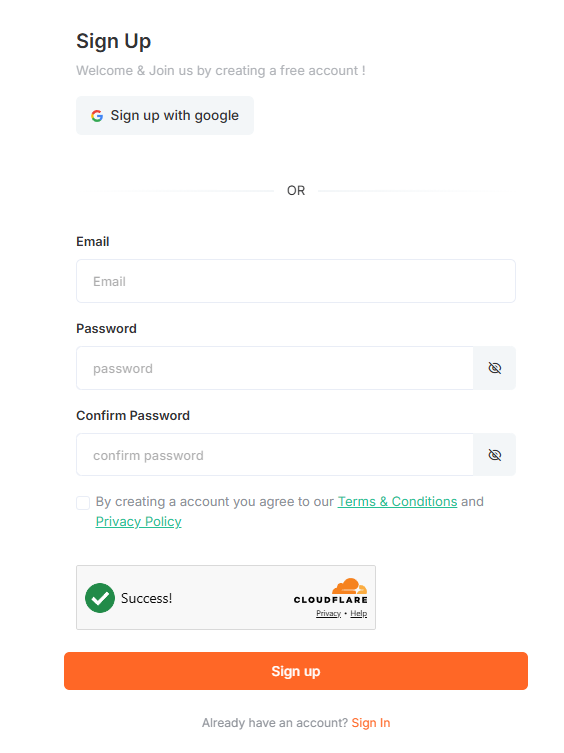
Navigate to https://merchfox.shop/ Start Free Trial and complete the registration form. All fields marked as required must be filled before submission.
 Verify Your Email Address
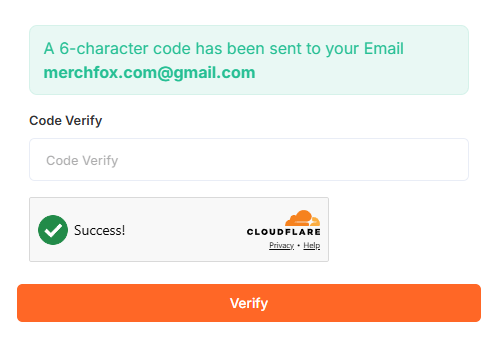
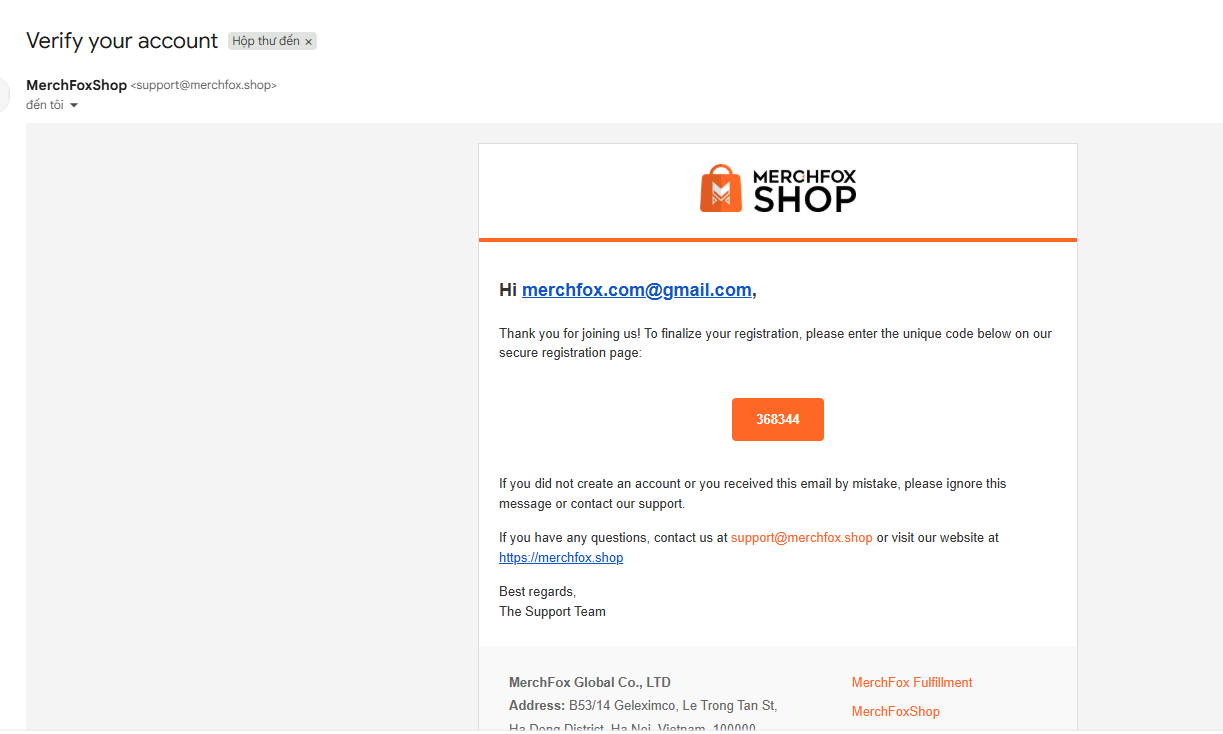
After successful form submission, MerchFox.Shop will send an email containing a verification code to the address you provided.
Open the email from MerchFox.Shop
<[email protected]>Copy the verification code
Return to MerchFox.Shop, enter the verification code in the designated field, then click Verify
⚠️ If you do not receive the verification email within 5 minutes, check your spam or junk folder. You may request a new verification code via the Resend Verification Email option on the login screen.
Complete Your Merchant Profile
Upon successful email verification, you will be automatically redirected to the Account Setup Wizard — a 3-step onboarding flow designed to configure your store before going live.
Step 1 — Add Your Contact
You will be prompted to complete your personal and contact information. Fill in the following fields:
Your first name (Required) — Enter your legal first name
Enter last name (Required) — Enter your legal last name
Your store country (Required) — Select the country where your store will primarily operate
Your personal location (Required) — Select your current country of residence
How should we contact you? (Required) — Enter a valid phone number for account-related communications
Your personal social profile (Optional) — Provide a social media profile URL (e.g., Facebook, Instagram) associated with your business
Once all required fields are completed, click Next to proceed to Step 2: Choose Your Business Model and Customize your store.
⚠️You can update your merchant profile at any time from Settings → Business Information in your MerchFoxShop admin dashboard. However, changes to business type or country of operation may require re-verification.
Was this article helpful?
Let us know so we can improve our documentation.
Still need help? Contact our support team →